Pin what matters.

Capturist keeps every screenshot and every bit of text you want to keep in one tidy library on your Mac. One shortcut to capture. One click to copy or share it again.

Coming soon to theMac App Store

Free for 7 days, then $6.99 once.
No subscription.

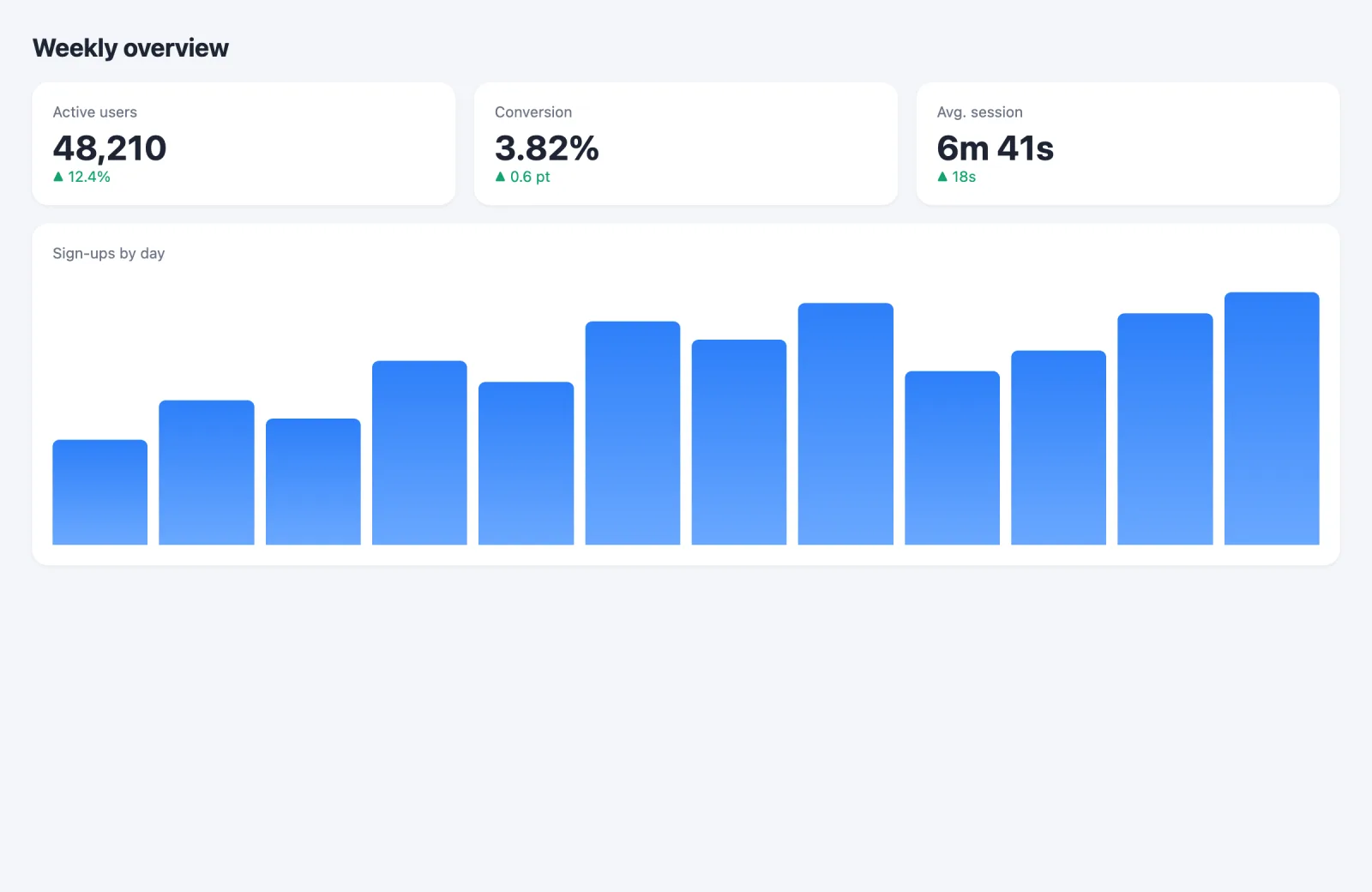
A captured analytics dashboard
Weekly overview — Analytics.png
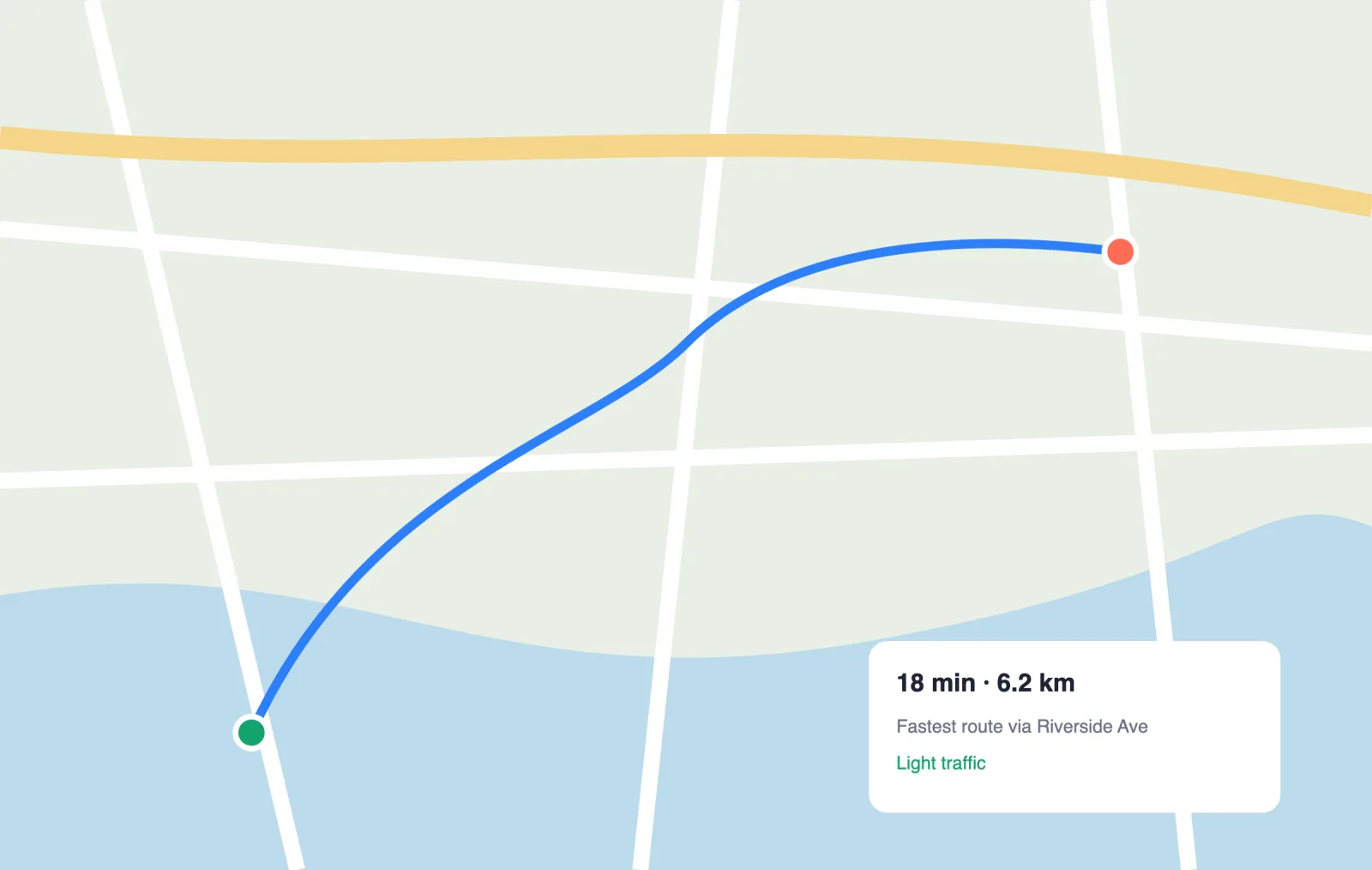
A captured map route
Route to Riverside Ave.png

One shortcut. From anywhere.

Capturist lives in your menu bar. Press a shortcut in any app and the shot is saved, named and ready. Change any shortcut in Settings, and Capturist tells you if it's already taken.

Try it here: press ⌥⌘4.

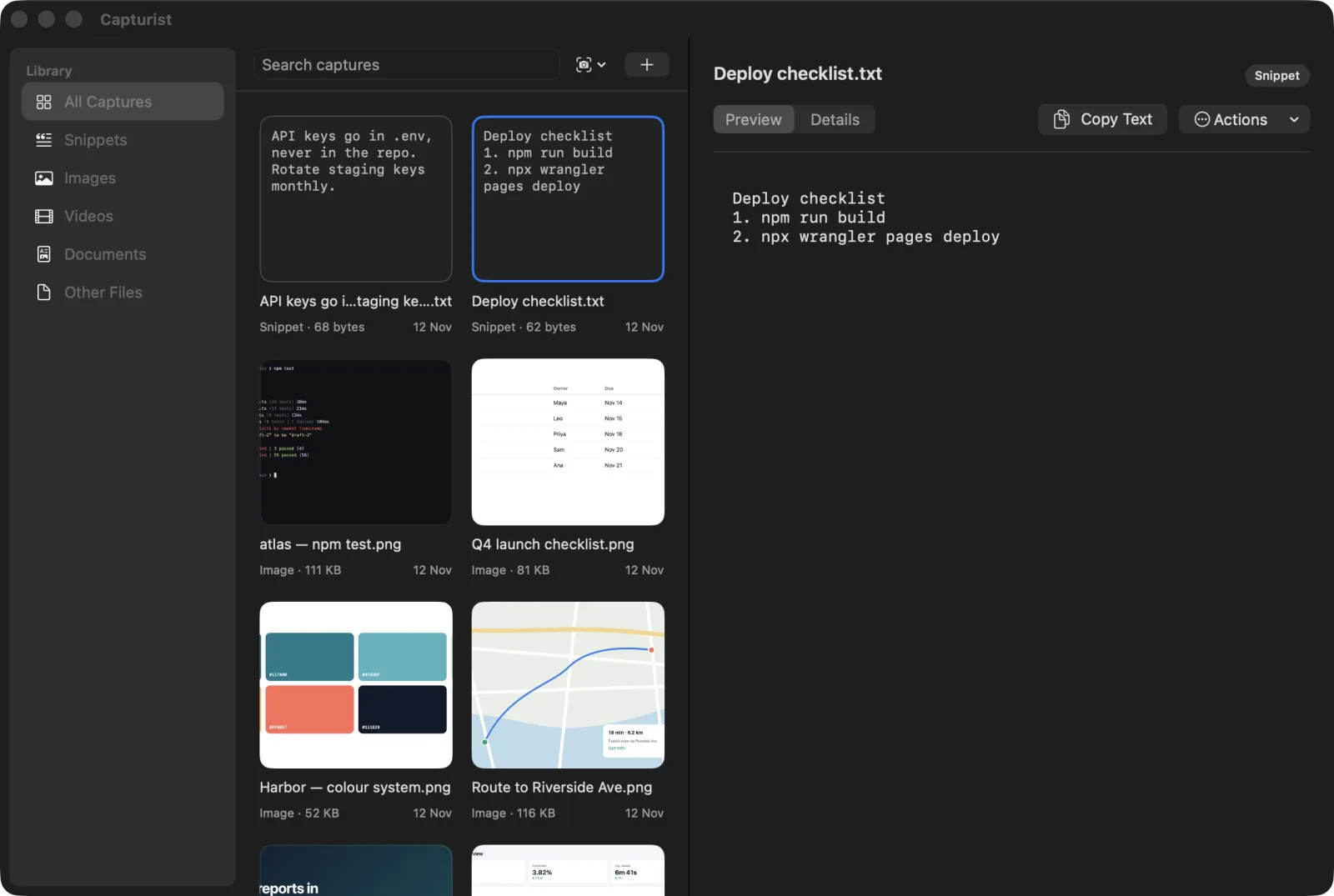
The Capturist library window with a saved text open in Preview
Your library: screenshots and saved texts, side by side

Everything lands in one place.

No more digging through a Desktop full of “Screenshot at 3.41.07”. Every capture gets a clear name and a home you can search.

Save from any app.

Select some text, an image or a file, right-click and choose Send to Capturist. Texts become saved snippets you can copy again from the menu bar in one click.

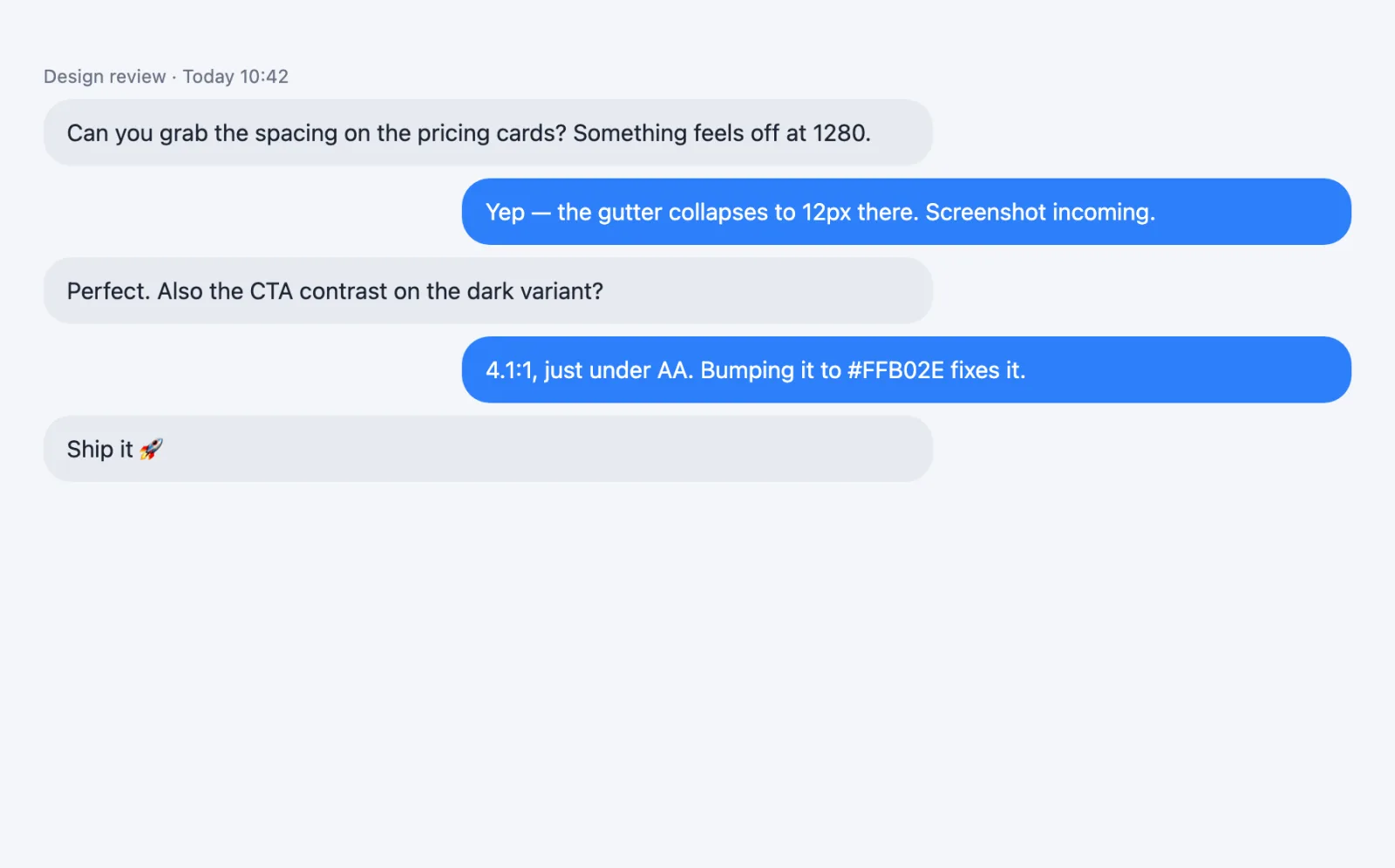
A captured chat conversation
Design review.png

Your clipboard, kept for a day.

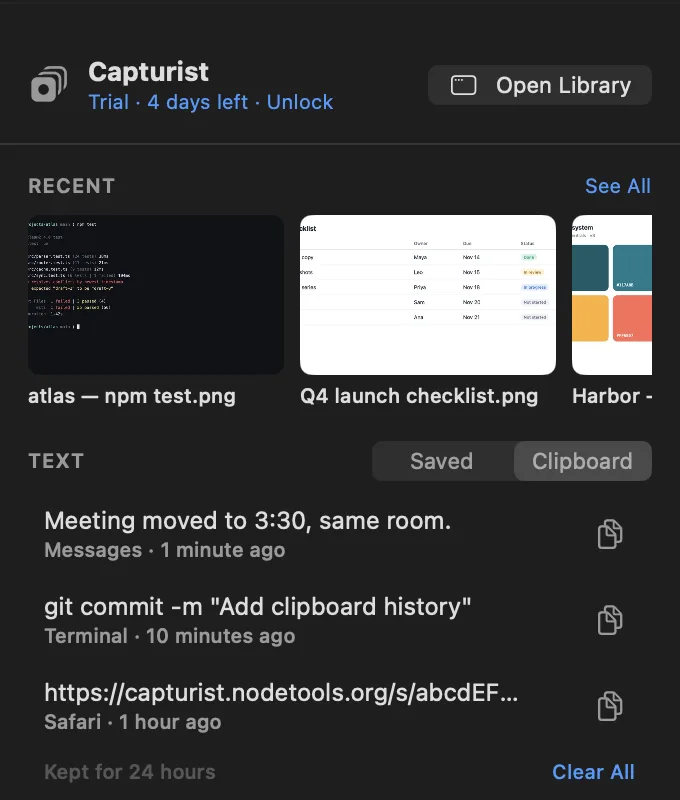
Copy as usual. When clipboard history is on, Capturist keeps what you copy for 24 hours, only on your Mac, then lets it go. Items your password manager marks as private are never kept.

The Capturist menu bar panel showing recent captures and clipboard history
The menu bar panel
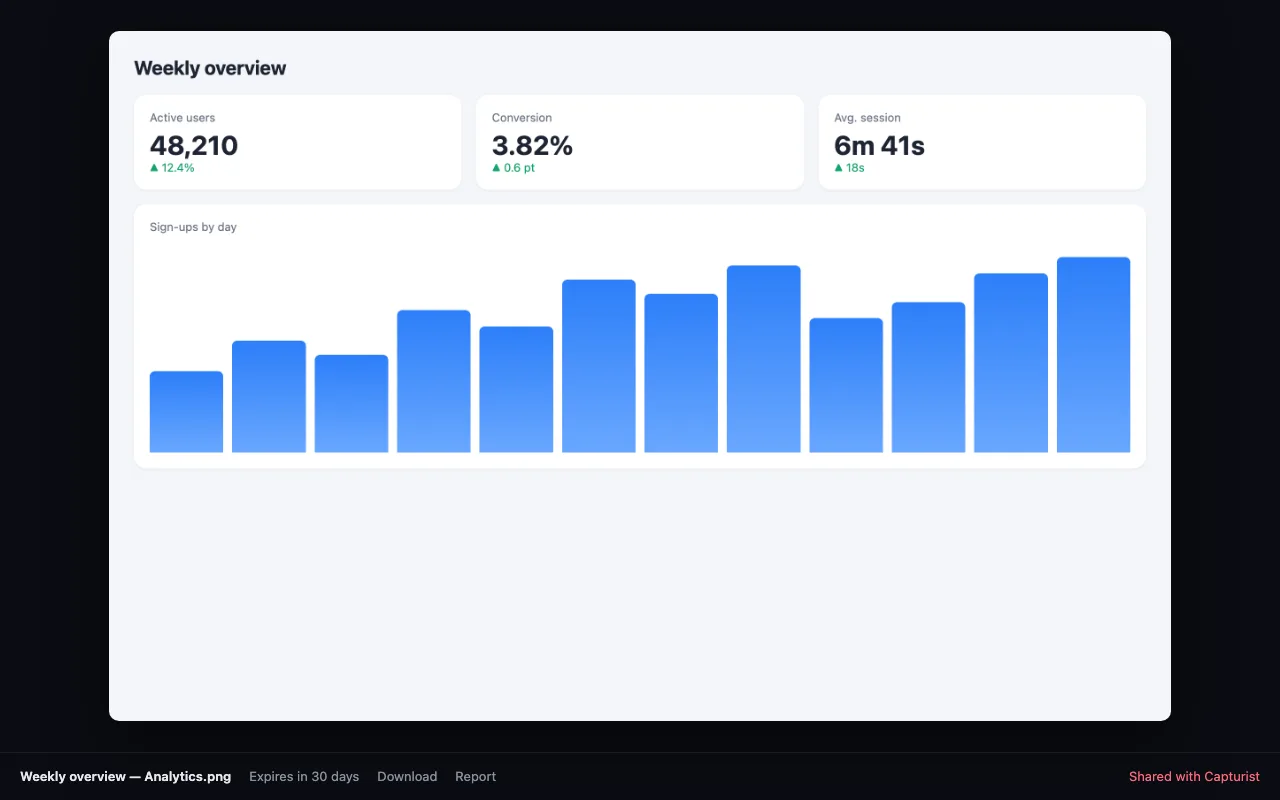
A shared capture shown on a clean dark web page
A share link, as your friends see it

Share in one click.

Create a link to any capture or snippet. It stays up for 30 days, and you can stop sharing whenever you like. Or hand a screenshot straight to the ChatGPT app and ask about it.

capturist.nodetools.org/s/…Ask ChatGPT

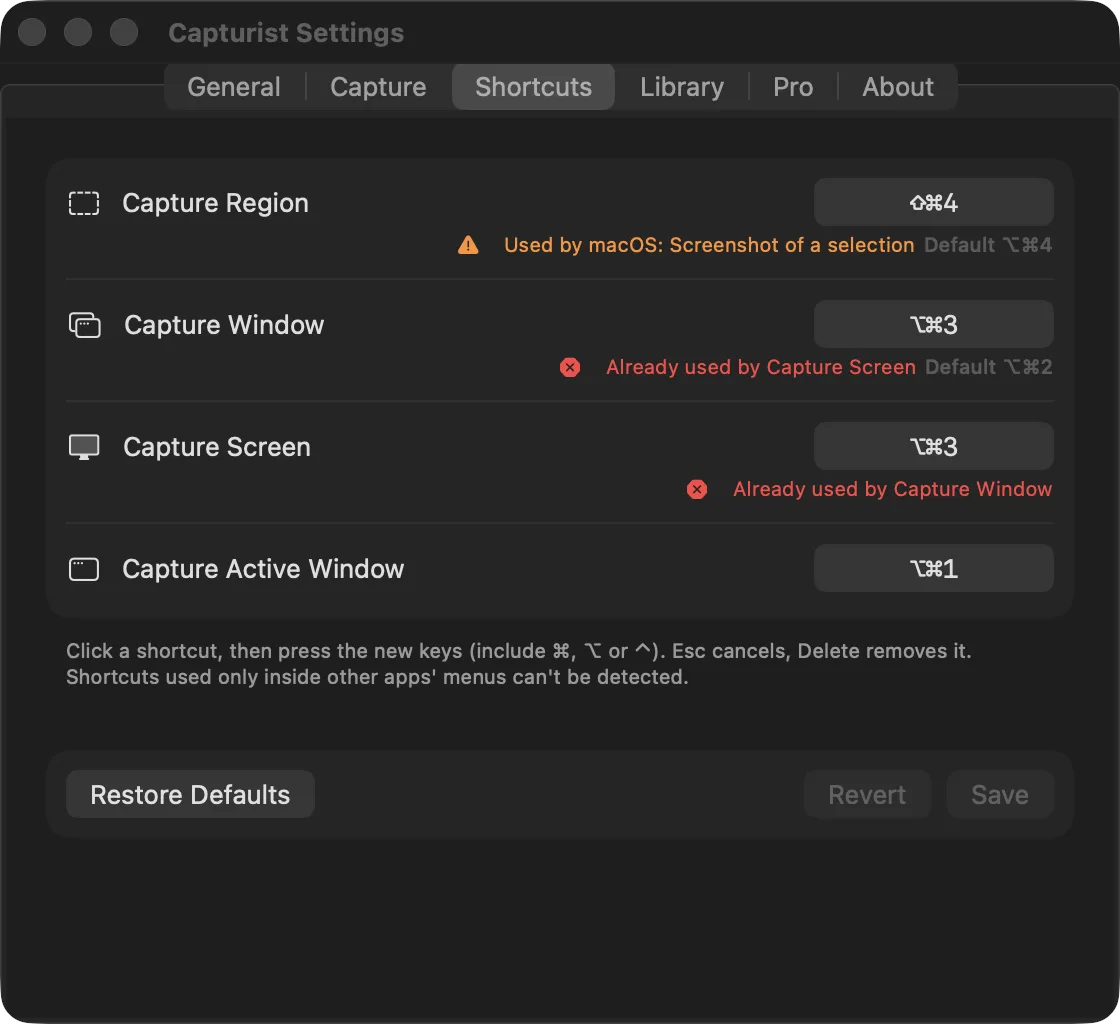
Capturist Settings, Shortcuts tab, warning that a key is already used by macOS
Settings › Shortcuts

Your keys, your way.

Pick any shortcut you like. Before you save, Capturist checks whether macOS or another app already uses it, so nothing collides.

Yours, not ours.

  • No account to make.
  • No analytics, no ads, no tracking.
  • Your library lives on your Mac.
  • Nothing is uploaded unless you create a share link.

— Read the privacy policy

7 days free

Try everything. Pay once.

Every feature is yours for 7 days. Then unlock Capturist forever for $6.99: one payment, no subscription. If you don't, your library stays, ready to open, copy and export.

Coming soon to theMac App Store

Questions

Anything else? Write to us.

Which Macs does it run on?

Any Mac with macOS 14 Sonoma or later, Apple silicon or Intel.

Why does it ask for Screen Recording?

macOS asks for it before any app can capture the screen. Capturist only uses it when you take a capture. Turn it on once in System Settings, then reopen Capturist.

What happens after the free trial?

Your captures and texts stay, and you can still open, copy and export them. New captures, snippets and share links need the one-time $6.99 unlock.

How long do share links last?

30 days, or until you choose Stop Sharing. Shared pages aren't listed or indexed, but anyone with the link can see them.

Is my clipboard history private?

Yes. It's off until you turn it on, it stays on your Mac, and each item is deleted after 24 hours. macOS may ask once whether Capturist can paste from other apps; choose Always Allow.

Does it work on more than one Mac?

Yes. The unlock follows your Apple Account; use Restore Purchase on your other Macs.